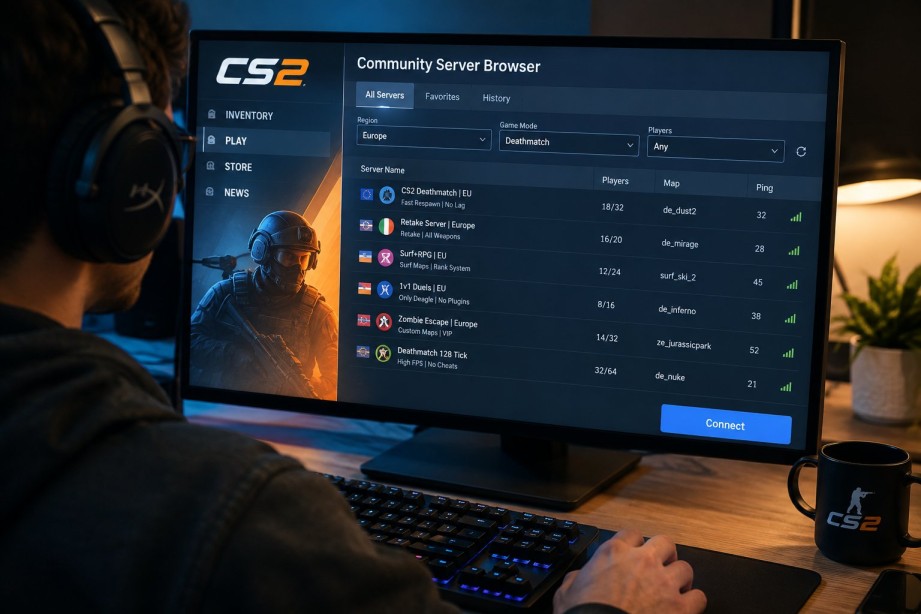
If you are new to Counter-Strike 2, the sheer number of community servers can feel overwhelming. Unlike standard matchmaking, community servers offer custom game modes, relaxed rules, and familiar faces — but you need to know how to find the right one. This guide covers the basics so you can jump in confidently.
What are community servers?
Community servers are player-hosted or organization-hosted game servers outside Valve’s official matchmaking. They run custom configurations: retake scenarios, surf maps, deathmatch warmup, 1v1 duels, zombie modes, and more. Many are free to join and open to everyone with CS2 installed.
First steps for new players
- Pick a mode — Start with deathmatch or retake if you want aim practice. Try surf or KZ if you prefer movement-focused gameplay.
- Check your ping — Choose servers in or near your country for smoother play.
- Look at player count — A server with a few active players is usually better than an empty or completely full one when you are learning.
- Read the server name — Names often hint at rules, maps, and language.
Why not rely only on the in-game browser?
The built-in server list is long and not always sorted by what matters most to you — region, mode, and live activity. External server browsers update in real time and let you filter before you connect. Using a tool like CS2ServerList helps beginners browse live CS2 servers by country and game mode, see current maps and player counts, and connect through Steam with one click instead of guessing from a crowded list.
Etiquette and tips
Community servers often have their own rules in the description or Discord. Be respectful, avoid team griefing, and ask in chat if you are unsure about mods or commands. Stick with one server for a few sessions — regulars are usually welcoming when they see new players returning.
When you are ready for more
Once you find modes you enjoy, explore communities that host multiple servers under one brand. Many groups run retake, DM, and public servers together, so you can stay in the same community as your skills grow.
Community servers are one of the best parts of CS2 for learning and casual play. Take a few minutes to filter by region and mode, join a active lobby, and you will quickly find a home server that fits your style.
